A search finds businesses. Most of them you'll look at once and never think about again. The pipeline is for the handful that survive that first look — and its job is to stop you losing track of them.
That matters more than it sounds. Buying a business takes months. You will be talking to several sellers at once, at different stages, each waiting on something different from you. The deal that dies is usually not the bad one; it's the one you forgot to follow up on for three weeks.
The eight stages
The stages follow the sequence a small-business acquisition actually runs through — the stages of buying a small business walks that sequence in general, including where financing fits. Here, the stage a deal sits in is also what the tool uses to decide what to tell you.
| Stage | What it means |
|---|---|
| Watching | You haven't reached out. You're deciding whether it deserves a closer look. |
| Contacted | You've contacted the broker or seller. Qualify the deal fast, without overcommitting your time. |
| NDA | You're signing an NDA to get the confidential detail — the real name, the exact location, the real financials. |
| LOI | You're submitting a Letter of Intent: a mostly non-binding offer setting price, structure and terms before full diligence. |
| Due Diligence | Verify everything before you commit. This is where deals die — and where they should die if the numbers don't hold. |
| Purchase Agreement | Lawyers are papering the deal. Keep momentum, nail down the transition, protect yourself in the fine print. |
| Closed | You own it. The first 90 days set the tone — stabilise before you optimise. |
| Passed | You walked away. Your notes and reasoning stay. |
Working a deal
Add it
From a listing, add it to your pipeline — it arrives at Watching. For a business you found yourself, use Analyze your own deal in the sidebar or from Pipeline, and enter what you know. Off-market deals get the same stages, checklists and document analysis as listed ones.
Set the stage honestly
The stage is a claim about where the conversation actually is, not where you'd like it to be. Set it from the deal's own page as things move.
Work the checklist
Entering a stage generates a checklist for that deal at that stage — written against this business's industry, size, location and numbers, rather than a generic M&A list. It's generated once and then frozen, so it stays a stable to-do list instead of shifting under you. Tick items off as you go, and add your own.
Write the notes down
Every deal takes notes. Use them for what the seller actually said, what they promised to send, and what you're waiting on. Months later this is the only reliable record of why a deal felt right or wrong.
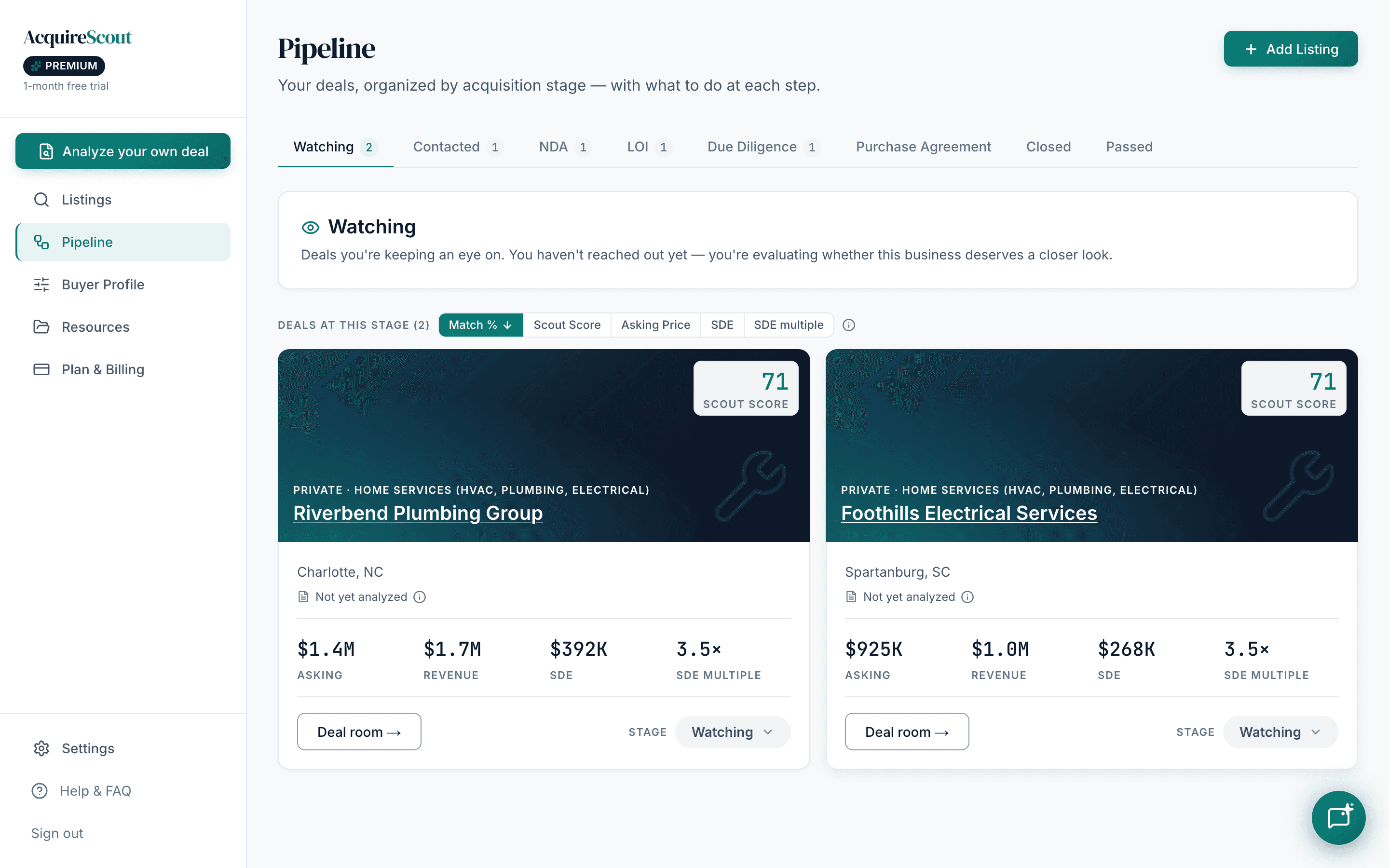
Reading the pipeline at a glance
Open it with one question: what's stalled?
- Everything sitting in Watching — that's a backlog, not a pipeline. Contact them or pass on them.
- A deal in Contacted or NDA for weeks — either the seller has gone quiet or you have. Both need a decision from you.
- Anything in Due Diligence with no documents uploaded — you're in the stage whose entire purpose is verification, without having verified anything.
Relisted deals won't clutter your feed
Small-business listings get pulled and reposted constantly, often under a new ID and a slightly different price. Once a deal is in your pipeline, its relistings are kept out of your search results — so working a deal doesn't mean meeting it again every week as if it were new.
Once a deal reaches NDA or Due Diligence you should be getting real documents. That's where the seller's claimed numbers meet their own paperwork — the subject of the diligence article.